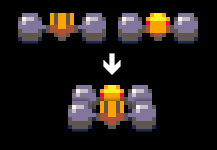
I’ve just finished an AHX import feature for klystrack. The conversion is not perfect because not all features are present in klystrack and they have to be emulated using what there is available. However, even if the conversion isn’t too accurate, the tunes still sound pretty good. This is what the imported tunes sound like if you’re lucky:
Audio clip: Adobe Flash Player (version 9 or above) is required to play this audio clip. Download the latest version here. You also need to have JavaScript enabled in your browser.
I’ve also updated the effect system to support separate FX chains, meaning you can have different reverb etc. settings for different instruments. While there will be more effects in future versions, they will still be for fine tuning the oldschool sound.
1.4.0 should be out soon but you can try the nightly builds that should work pretty well.
The Last Arcadian is one of those games that in hindsight are pretty strange stuff for a public domain or shareware title. Considering even in the early 1990s a 3D shooter was automatically rather cool and thus profitable, The Last Arcadian makes you think why it wasn’t released commercially. It looks a bit dated even for a 1992 3D title but you have to keep in mind it is a one man show. A bit of money would have made it look much nicer. It could be compared to Epic but I’m not sure if that’s a compliment. I have seen worse — I have paid for worse.
(Another video below.)
The main idea is to go and destroy enemy bases while the enemy tries to do the same to you. The game is over if your base is destroyed. If you, flying a fighter, are killed, you will simply find yourself piloting a nearby fighter that was previously computer controlled. There are multiple wingmen flying around and if you watch the first video, they sometimes manage to win the game for you.
The enemy fighters are killed with lasers and homing rockets and the enemy base needs to be bombed. When you return to your base, you need to make sure nobody else is trying to dock at the same time; you have to request permission to land. You can also repair your fighter in the base and then return to the battle (to save the computer controlled fighters.) The bases can also fire cruise missiles that travel slowly and you need to escort them and also keep the enemy missiles away from your base.
Overall, the game is very nice. It is simple but has some quirky features and also some quite modern stuff like the zoom in your ship at the start of each level and the fact everything is three-dimensional. There is a feeling of immersion as the rest of the war goes on around you while you’re being resupplied — quite well done as I no longer have the imagination of a kid. If you’re a fan of the old 3D Star Wars shooters, you probably should check this out if you have an Atari ST lying around.
I used to read ST Format back when I had an Atari ST. Later in its existence the magazine started to include better and more complete games and other software on its cover disk, probably because of the Atari was dying and publishers decided to give away their assets (or more like the actual developers were able to secure rights to the software from the publishers and then give it away so the work wouldn’t be in vain.) Also, back in the day shareware meant you got the full software to play with and only then you had to decide whether to pay or not to pay for it — it wasn’t uncommon for that to be actually profitable. Whatever the reason, I wouldn’t have probably ever heard of some pretty awesome games.
Starball was one of those games.
On the Amiga, there were a few excellent pinball games by Digital Illusions, including Pinball Dreams and Pinball Fantasies. On the Atari ST, there were practically no modern pinball games apart from the STE title Obsession which was most likely created to cash in thanks to the surging interest in pinball games thanks to DI and also because the STE was capable to give the same smoothness as on the Amiga. But for the plain vanilla ST users, there still were none. At least until Starball, that is.
Starball is a modern pinball game — as in the screen scrolls and it was made in the 1990s — but it’s very different from the look and feel of the relatively realistic pinball games on the Amiga. The gameplay and the table is very similar to the Crush series on the PC Engine (Turbografx-16) which realized a pinball video game doesn’t have to simulate a real pinball table and added common elements from video games in general. While Pinball Dreams had very smooth gameplay based on getting accurate chains of ramp runs, in Starball the ball is used to smash flying spaceships, cultists and Jimmy Hill’s chin. In addition, Starball has three smaller areas with their own set of flippers and even graphical theme and when you miss and the ball will simply fall down, it will only move your one area down. Unless you are already in the bottom area.
In the middle area, you are building a space ship one part at a time and trying to stop turrets destroying the spaceship parts. On top level, you try to crush little guys walking in circles and there’s a slimy face in the center. And the face will get slimier each time you kill all the little guys. And the bottom area has a huge fly-eyed alien and more explosions. The fly alien thing also contributes to the game in that its mouth takes you to a bonus level. There are at least two different bonus levels, in general they are much like the small Mario level in NES Pinball keeping in the overall pinball theme.
While the game is very enjoyable at least as a nostalgy trip, there are some faults. First, the gameplay isn’t nearly as fluid as what the standard set by Dreams was at the time. The flippers feel sluggish and sometimes the ball bounces all weird. However, you can easily adapt to the slight delay in the flipper hit. The table area isn’t terribly interesting in that there are no huge ramps and other stuff the Amiga games did well but the grimy graphics and the self-awareness of the limitations makes the game stand out.
My new weapon of choice. libconfig is a configuration file parser that supports arrays, named and typed members, selection by path (e.g. cfg.users.[3].name) and more. That is, it has basically all the useful (as in 80% of cases) features of XML and none of the bad. There’s a minimal but well defined structure that will work for most situations and that can be used to enforce e.g. all array items having to be of the same type. There’s no overkill markup so it’s easy to read and write by humans. The library can also write the settings tree into a text file.
int screen_height = 100;
const char *name;
config_init(&cfg);
config_read_file(&cfg, "config");
if (!config_lookup_int(&cfg, "screen.height", &screen_height))
puts("Using default screen height");
if (config_lookup_string(&cfg, "users.[0].name", &name))
puts(name);
config_destroy(&cfg);
You can also iterate the setting tree without the path for easier array or tree traversal. In all, I would say it involves less work compared to any XML library, especially in C. I like to think it’s a good example of software designed by the same guy who also uses it and not by some external committee.
More often than not, the biggest obstacle for a programmer is adding a GUI to a otherwisely ready application. This probably is because you generally can create a program that inputs and outputs text with a few lines of code in any language. However, if you don’t count MessageBox() and other similar helper APIs that are available in most windowing systems and that are as simple to use as gets() and printf(), it’s a unnecessarily big step to change a command line program into a program that outputs the exact same text but with complex command line arguments replaced by a few buttons and a window with the outputted text.
However, if you are developing a program that already draws something on the screen, it’s really easy to add simple mouse interactivity. This is especially true if you are using SDL (even if it’s extremely bare bones in these things!) and already use SDL_rect (your standard rectangle) to draw things. You can simply change the draw routine so that it takes one more argument which would be the SDL_event struct you’re already using to check for a quit message and so on. Then for every object you are drawing on screen, check if the event if a mouse button down event and that the coordinates are inside the rectangle that will be drawn. This eliminates completely the need for having to plan a separate system that interprets the mouse events. It’s sort of piggybacking on the existing code with minimal changes to the existing code.
Now, you might already think that is way too simplistic and lazy but think again. Not many programs need a more complex GUI with multiple movable windows and so on. If you really do need that, then be my guest and create a exhaustive windowing system or take the time to learn an existing system. But it is still overhead and you have to do comparatively a lot of work before any real results. At least I hate that kind of mental overhead. And while this whole idea of combining the drawing and the event processing sounds like a bit of a hack, it really isn’t a “hack” as in patching something you will probably have to replace with a better solution later. It’s just a different way of doing almost the same thing. With less overhead.
I have used this approach in my latest project and from direct experience I know it is possible to create scrollbars, scrolling text fields, text input fields, message boxes and pretty much anything I have needed. And it’s not too much code either even if you have to create absolutely everything from nothing. In other words I do not feel limited or burdened.
How to do it
As explained above, you most likely are drawing to a specific region on the screen for every object you need to check for mouse clicks. It is not necessary to have any kind of array where those regions are. You need to make sure that for every mouse click event runs the draw loop once and that the mouse click event gets passed to the draw routine. Then check if the coordinates are inside the draw region.
This is where the part starts that it admittedly gets a bit hacky: if a button is pressed, the event that the button triggers will be run in the middle of the draw loop (unless you somehow buffer the events). In most cases this doesn’t matter at all but it could be that what is on the screen is not exactly how it really is; you might have two selected items for a duration of one frame and so on. For the most part this doesn’t matter since you are getting results with very little overhead.
From the above example, the benefits of this approach are obvious. The event checking can simply be injected anywhere in the code as long as you have the event and a region.
Solutions to common problems
One downside in this is that if you draw multiple overlapping regions, the region drawn last will be the one that is visible on the screen but the click is handled by the first region. Our event checking sees the regions from the other side of the screen. In such cases you can first iterate the regions in reverse order checking the event and then draw them in the correct order. An example in the mentioned project is the menu, submenus often overlap the parent menu; I solved that by first going through the menus in the order the user sees them and then drawing them back to front.
Dragging items is easy: simply check for mouse motion events and if the button is held down and the mouse is moved, just adjust the position of the matching region. You do not need any special “drag starts now” and “drag ends now, update objects” phases. However, this simplistic method is subject to the previous issue if you move a region over one that seems to be under it. You can also simply record the clicked object when the mouse button is pressed and make the motion events match only the selected region.
FAQ
I absolutely need a separate window
This is possible as long as the window can be modal (like a message or open file dialog that takes over from the window behind it). You simply jump to another event loop until the new window is closed, much like it’s done in the Windows API with GetOpenFileName() or the MessageBox() mentioned earlier. Then it’s just a matter of drawing the new window and checking for the events normally.
Even if you can use the event checking straight in the source code, you can still define the regions in an array and link to relevant event handlers.
Conclusion
Combining the drawing and the event processing code can save time in the short term. Many common GUI elements are perfectly possible to replicate. The idea described above should be considered if a project needs mouse interaction and external libraries are not available, the conversion of existing code seems expensive or the learning curve is too steep compared to the future benefits. Nonetheless, in borderline cases, it can be well worth prototyping due to the minimal overhead and developing considerations.