Wordle and Classics
More Wordle madness. Try to guess if you recognize the works summarized below (no cheating allowed!)


The first is easy but the second probably is something you uneducated mooks should read.
More Wordle madness. Try to guess if you recognize the works summarized below (no cheating allowed!)
The first is easy but the second probably is something you uneducated mooks should read.
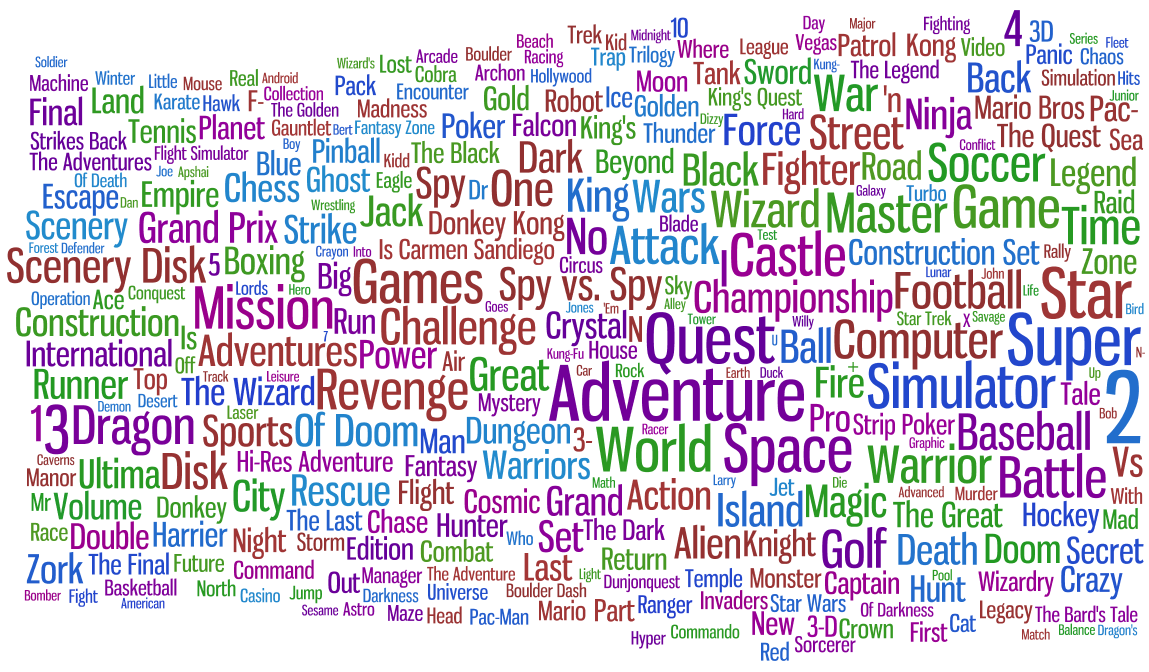
Here’s a superficial analysis on game titles. I have used Wordle to generate a word cloud from lists of recurring phrases in game titles. What I generally wanted to know is how a generic title from 1985 would differ from a generic title from 2009. The size of a word or phrase is relative to how many different titles contain the text and also how complex the phrase is (so one word long “phrases” won’t dominate the more interesting, relatively rare phrases).
What the word clouds show are very generic words like “space” or “super”, the number two (a game series is more likely to be two than three games long) and multiple word phrases which usually are popular game series, clichés (Foobar of Doom) or games with many versions or expansion packs. It is interesting that the generic words tend to be the same across 30 years — all generations of gamers seem to love dragons. Another point of interest is that a phrase from a 1980s game title is much less likely an established brand as it most likely is in the 1990s. Also, in the 1990s is became common that a game title has the release year attached to it, since EA et al started to churn out minor updates to their sports games as brand new releases.
30 years of games. Find your favorites!



 Seen is a WordPress plugin that shows when and which bots visit your blog. This can be useful to see if a page ever gets visited by bots (so you can adjust robots.txt or so) or simply to amuse yourself if you are obsessed with what is happening with your blog (everyone knows you are).
Additionally, you can get a better understanding of how fast a page gets indexed by search engines and how fast it gets reindexed after you have modified the page. I found it interesting to note what’s the general strategy of different bots, now I know Yahoo really keeps visiting the pages and GoogleBot just very rarely visits older pages (but indexes new pages really quickly).
The plugin uses some simple heuristics to decide if a visiting user agent is a bot and puts it in a list of suspected bots (along with data of which pages it visited and when). You can then remove all the user agents that are not bots. Basically, This means you don’t need to manually add any bots at all, you simply weed out the false alerts. Of course, you can explicitly specify bots by their user agent string or host address.
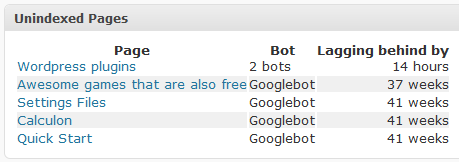 After installing the plugin (extract the zip file in wp-content/plugins/ and activate the plugin) data will be automatically recorded. You can monitor what is happening directly from on the Dashboard (there will be two new widgets, a list of bots on the watchlist and a list of unindexed pages). Also, if you go to Dashboard > Seen you can see more detailed lists and also the suspected bots list. I think it’s all quite self-explaining. Hint: you can click the star to add bots to the watchlist — clicking the yellow star will remove them.
In the options you can combine bots (i.e. when two or more entries have a differing user agent string but really are the same bot), delete them and edit them. The different categories are there so you can e.g. put Technorati bot in “Search engine (blogs)” which makes Seen not care if the bot has seen the latest comments. You can also categorize bots as “Browser” which means their data will be hidden as it probably won’t interest you.
Seen 0.5.1 (Supports WP 2.7 thru 2.8)
See comment #2 below.
Note: This is not yet 1.0 quality but it should work OK. By downloading and installing the plugin, you acknowledge no responsibility lays on the plugin author.
Here is a quick summary (based on the search terms people use when finding this page):
Here’s some quick pointers and answers to questions I, a stereotypical diehard XP user, had that made me hesitate trying out the new Windows 7 RC. I didn’t immediately find such info on the webs and as a chronic luddite I didn’t even think about finding out until absolutely necessary.
My goals, as always with OS installs, were to minimize reinstalling of apps and data so that I can pretty much pick up where I left. Even though it’s common for even experienced or otherwise sane people to advocate a simple reformat of the hard drive and installing everything yet again, it’s just magical thinking to me (although it does make things simpler, but more laborous). In my experience, it takes just a bit of planning to avoid that. A tiny bit. What I did was taking backups of the most vital data (emails, most cherished boobie picture bookmarks and such) but I knew beforehand that’s not a part of plan B, even.
Then, I just installed the new OS.
After some waiting and a reboot or two, the following is a list of what went through my head:
Found a solution: some (seemingly random) files are recognized as coming from another computer (i.e. my previous OS) and they have to manually be unblocked (file properties -> Unblock). I don’t know why 99% files that are in the same directory work without a question…
Personally, I think they could have done without this kind of stuff somehow. Yeah, big boys’ OS’s have that kind of stuff but it’s just confusing if you really don’t want to know about that. After all, it’s the computer that should do the work. It’s kind of interesting how otherwise the interface is very much like something your mom would use after a bit of practice but if you just right click a file and go in the properties, there be dragons there.
After a week months of use, here’s the problems I have encountered:
Update (2009-08-14): Haven’t gotten any BSOD’s in two months or so. Additionally, my video card has rebooted a few times successfully (which is still annoying but not fatal) so I guess either Microsoft or ATI fixed the issue.
Overall, I conclude there will be some problems but nothing that you can’t fix. I am happy with Windows 7 and relieved the whole 32/64-bit issue was nothing but a overblown scare. Some things about the GUI I don’t like but then again it’s usually just something you have to learn to do a bit differently, not that you can’t do something anymore.
Install Firefox and run once so all the directories and files will be created.
Exit Firefox.
Go to C:\Users\YourName\AppData\Roaming\Mozilla\Firefox\Profiles (AppData might be hidden, you can simply just type in the path and press return).
Copy the old profile directory (e.g. C:\Documents and Settings\YourName\Application Data\Mozilla\Firefox\Profiles\dl34875xyz to the Win7 directory above. If you have multiple profiles, just copy them all.
Copy C:\Documents and Settings\YourName\Application Data\Mozilla\Firefox\profiles.ini to C:\Users\YourName\AppData\Roaming\Mozilla\Firefox\profiles.ini. Also, open the .ini with Notepad and double check the lines that say “Path=Profiles/xyz123.default” etc. are relative, i.e. that the path starts with “Profiles/“.
Open Firefox and it should now load your old default profile!
To migrate Thunderbird profiles, do the same for the Mozilla\Thunderbird directory.
This should work for programs that do not use the registry to store settings. Note that this also means uninstall information will not be migrated and you may need to delete files manually. Try the below method only if you have a basic understanding what you are doing (which said I’ll add it’s not hard at all — just don’t blame me for anything you did.)
I assume the old files from the previous installation are in C:\Windows.old which should be the default.
Copy the program folder from C:\Windows.old\Program Files to C:\Program Files (x86)
Copy the settings folder from C:\Documents and Settings\Username\Application Data\Local Settings to C:\UserData\Username\AppData\Roaming. You may need to find out which folder to move but generally it’s C:\Documents and Settings\Username\Manufacturer Name\Software Name
Create a shortcut on the desktop by dragging C:\Program Files (x86)\Software Name\Software.exe with the right mouse button on the desktop and selecting “Create shortcuts here”. Again, you need to find out which file is the executable that has to be run to run the migrated software.
Double click the new shortcut and cross your fingers!
Good news. A new version of Viewer2 will be available in the near future. In addition to fixing the bugs that have been waiting for a fix for a year or so, it will be a significant improvement in performance (namely proper multi-threaded image loading that results in a lot smoother user interface especially when browsing over slow network connections) and also how the user interface works.
For example, there’s a new tag cloud view, a more traditional grid based thumbnail list and an improved version (or, a total rewrite) of the light table view which was the only view available until now (with more physical image groups that can contain other subgroups — in fact you can view a directory tree this way popping open the directories). Overall, it’s pretty sweet.
No estimates when it will be done, except for the infamous “when it’s done.”